Skins & Cosmetics
Every skin in Mistfall Hunter — outfits, weapon skins, portraits, poses and accessories — graded by rarity, grouped into sets, with how to unlock each. A collection checklist for completionists.
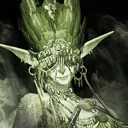
Soulsacrificer
EpicPortrait
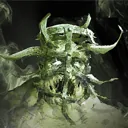
Soulsunder
EpicPortrait

Strawer
EpicPortrait

Thread of Fate
EpicPortrait

Triquetra Knot
EpicPortrait
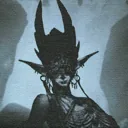
Velgr
EpicPortrait

Wolf Soul
EpicPortrait

Advance
EpicPose

Boxing
EpicPose

Cheerful
EpicPose

Default Pose
EpicPose

Finger Heart
EpicPose

Justice
EpicPose

Spellcasting
EpicPose

Standby
EpicPose
Hall of Heroes
ExcellentBackground
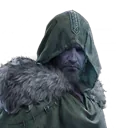
Blackarrow
ExcellentPortrait
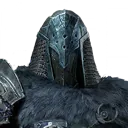
Knight
ExcellentPortrait
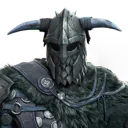
Mercenary
ExcellentPortrait
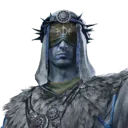
Seer
ExcellentPortrait
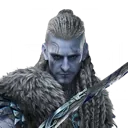
Shadowstrix
ExcellentPortrait
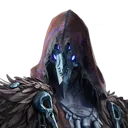
Sorcerer
ExcellentPortrait
Changing your appearance
How do I change my appearance in Mistfall Hunter?
Outfits transmog the look of your equipment without changing its stats. Buy them directly or unlock them through Contracts and other sources, then apply them per slot in the Appearance screen. There's also an Appearance Reset if you want to strip everything back.
How do I hide my helmet in Mistfall Hunter?
The option is called Hide Headgear, not hide helmet, which is why it's easy to miss. It's a per-slot toggle in the Appearance screen and hides your head armour's model without unequipping it, so you keep every stat.
Why isn't my outfit showing in a match?
An outfit appearance only displays in-match while the matching armour piece is actually equipped. With that slot empty the game falls back to showing nothing for it — the message in-game is that the appearance is not displayed.
Can I hide other players' cosmetics?
There's a display setting for it. Enabled, the custom appearances of every character on the battlefield are shown in full; turn it off and you stop rendering other players' outfits.
Which slots can I change the appearance of?
Armour appearance is handled across five slots — head, chest, gloves, pants and shoes. Necklaces and rings are equipment slots but aren't part of the appearance system.